Rent a board
Find a board for rent, choose your dates and send a request.
- Log in and press Rent board in the menu. Shapers and brands: switch to the surfer view first.
- Choose your surf level. We then show boards that suit you: beginners see beginner boards, intermediate surfers see beginner and intermediate boards, and so on. Professionals see all boards.
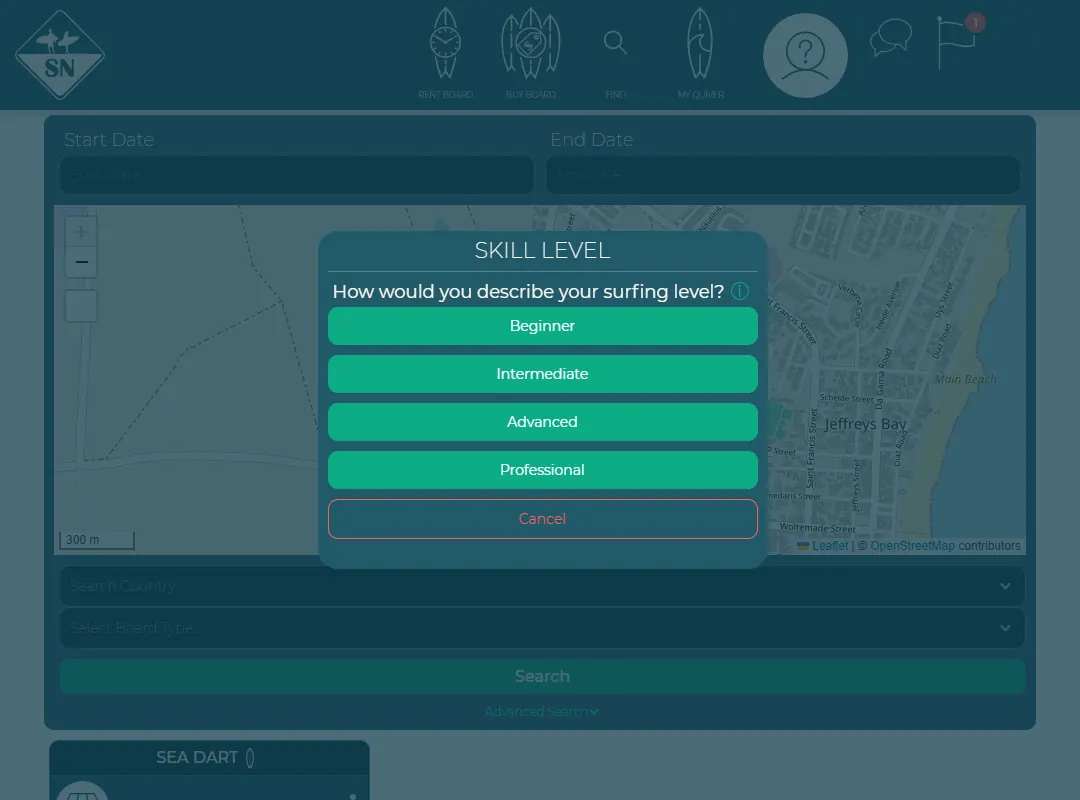
Choose your surf level. - Use the dates, the map, the country and the board type to narrow the list. A price in a darker colour means the board is meant for a higher level than yours.
- Open a board and press Rent board.
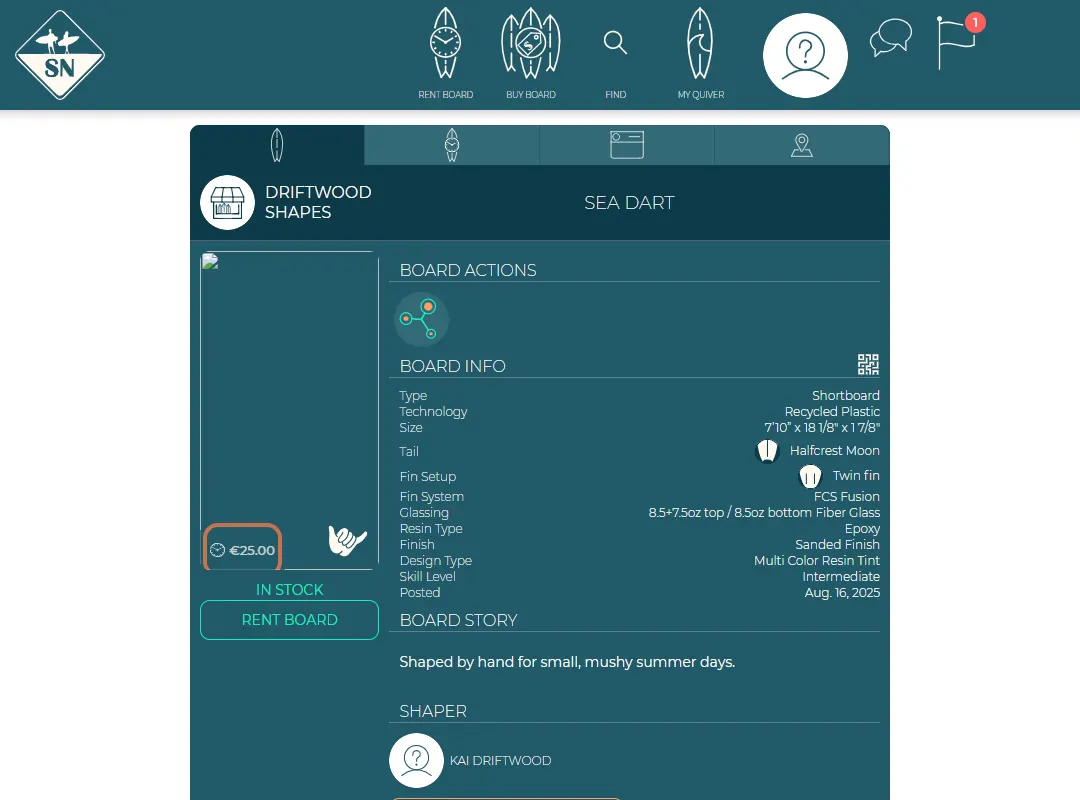
The Rent board button on a board for rent. - Choose your start and end date.
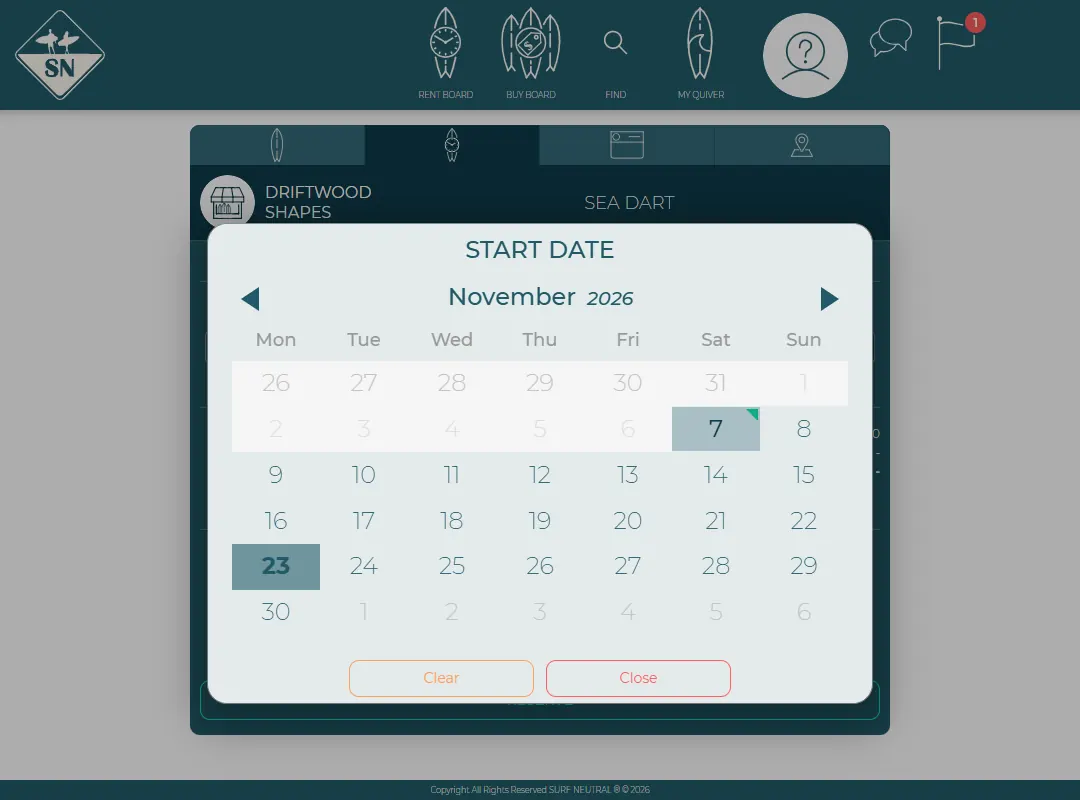
Pick your dates. - Check the price and the host's remarks, and press Reserve. By reserving you accept the host's ding prices for any damage.
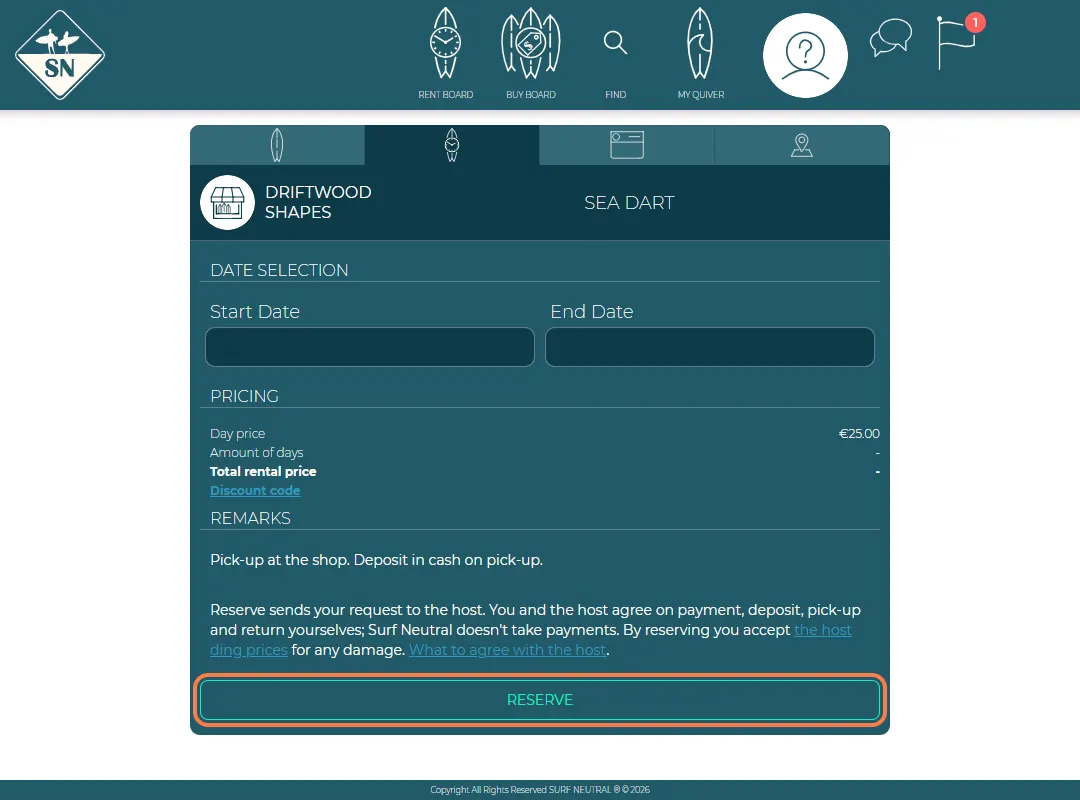
Check and reserve. - You get a notification and an email when the host answers. Your requests are under My rentals.
- When the host approves, agree on payment, deposit, pick-up and return with them, for example in the chat. See What to agree with the host.
More than one board? You can request as many boards as you like for the same days. Each one is a separate request.
Have a discount code from the host? Enter it under Discount code before you reserve.
Last updated 7 November 2026


