Register a finished board from your factory
When a board from your factory is done, give it its QR code, photos and story.
When a board from your factory is shaped and glassed, register it. It then gets its own board page and board passport, and leaves your list of boards in production.
- Open My factory, press the eye next to the order and press Upload.
- Surf Neutral asks if the board has a laminated QR code.
- Yes: scan the QR code with your camera, or upload a photo of it. The QR code is now linked to this board for life.
- No: continue without a QR code.
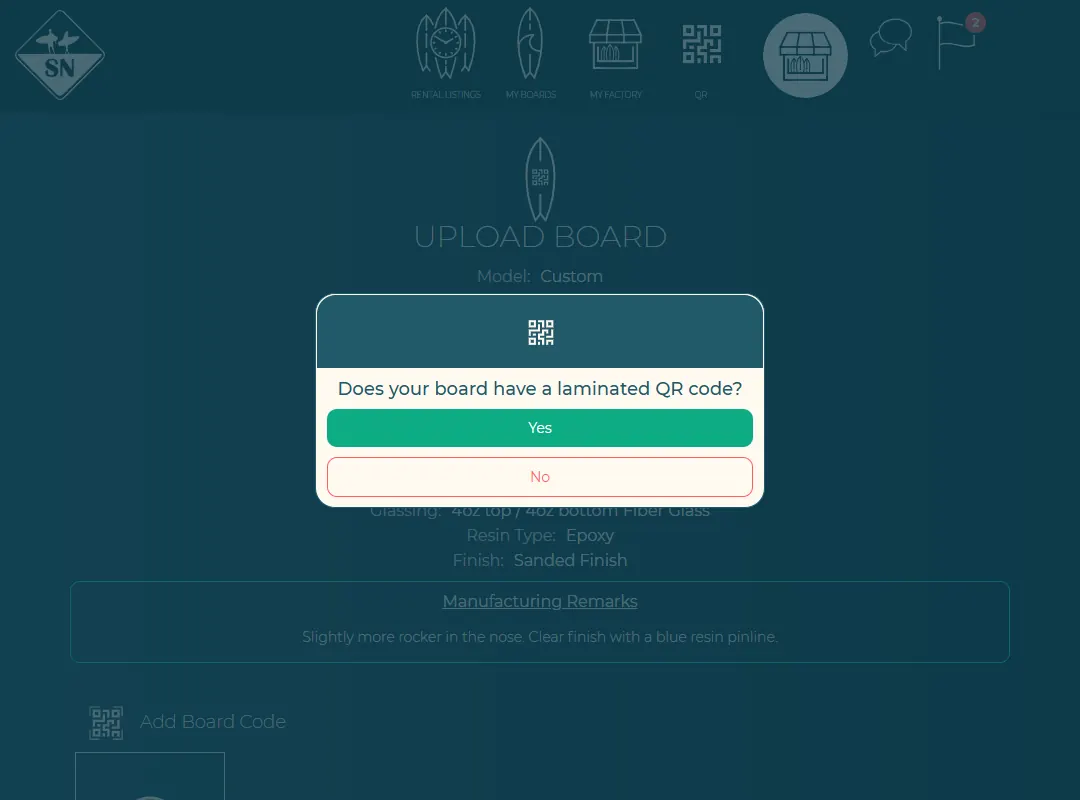
Registering a board from an order. - Add up to 5 photos of the finished board, a video link if you have one, and the board's first story.
- Check the surfer. If the order was for a surfer, the board is transferred to them when you save. You can also type the email address of a surfer who isn't on Surf Neutral yet; they get an invitation.
- Save. The order is marked as done and the board appears under My boards.
Haven't got QR codes yet? See QR codes for your boards.
Last updated 7 November 2026


